1. Making configuration take effect
| Action | When it applies |
|---|---|
| Adding or changing providers, upstream models, mappings, window templates | After quitting and reopening ChatGPT.app |
| Switching the default model in Settings | Immediately: unpinned sessions follow it on their next turn |
| The global switch in Settings | Immediately: off makes the wrapper a plain passthrough |
| Adding or editing an API key | The keychain is written on save and read by the relay after an app restart |
2. Choosing and switching models
Reopen ChatGPT.app and click the model name at the bottom right of the input box: the entries you created on the “Model mapping” page are all there, next to the official models.
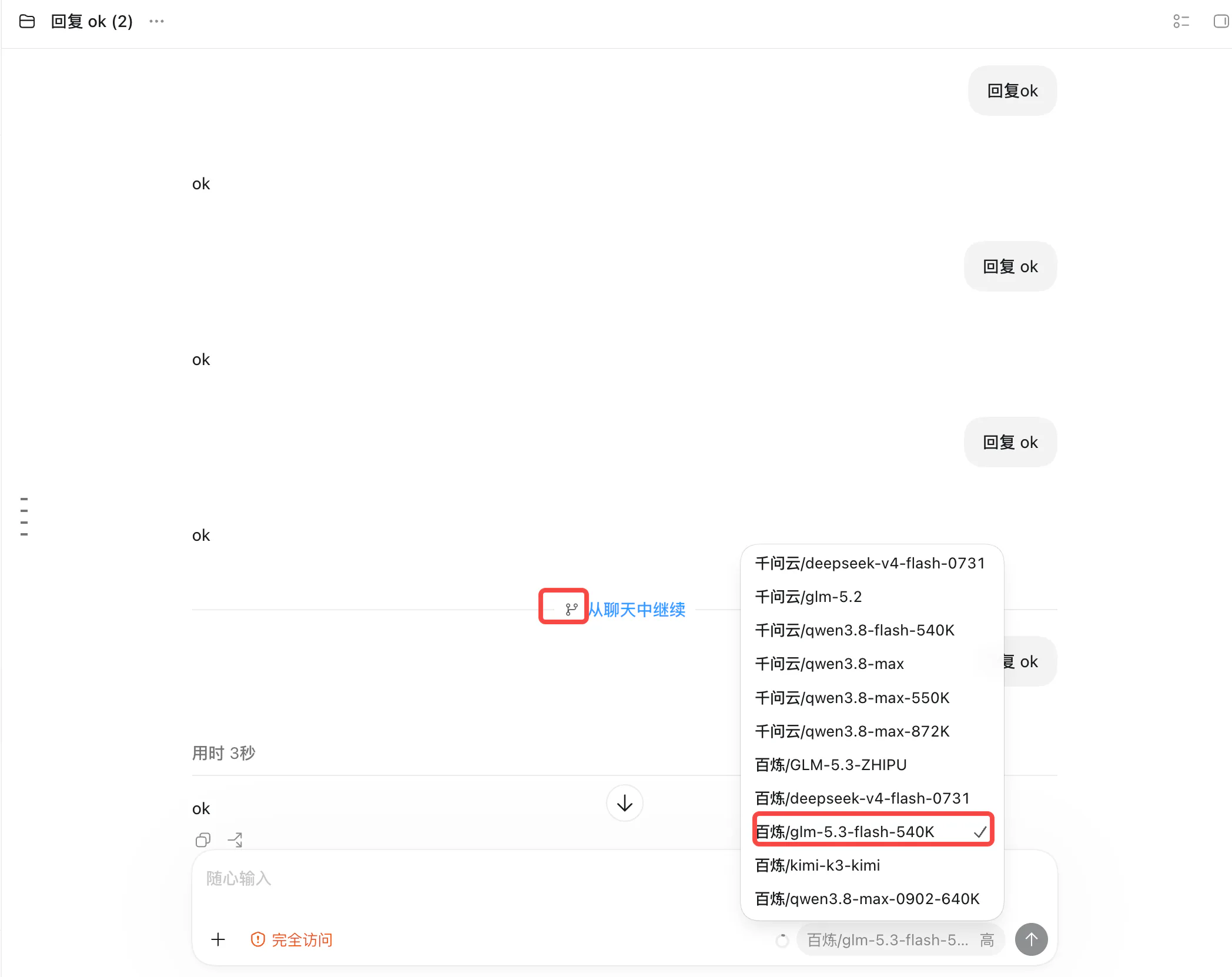
- New session: pick the target model; pick nothing and it follows the default;
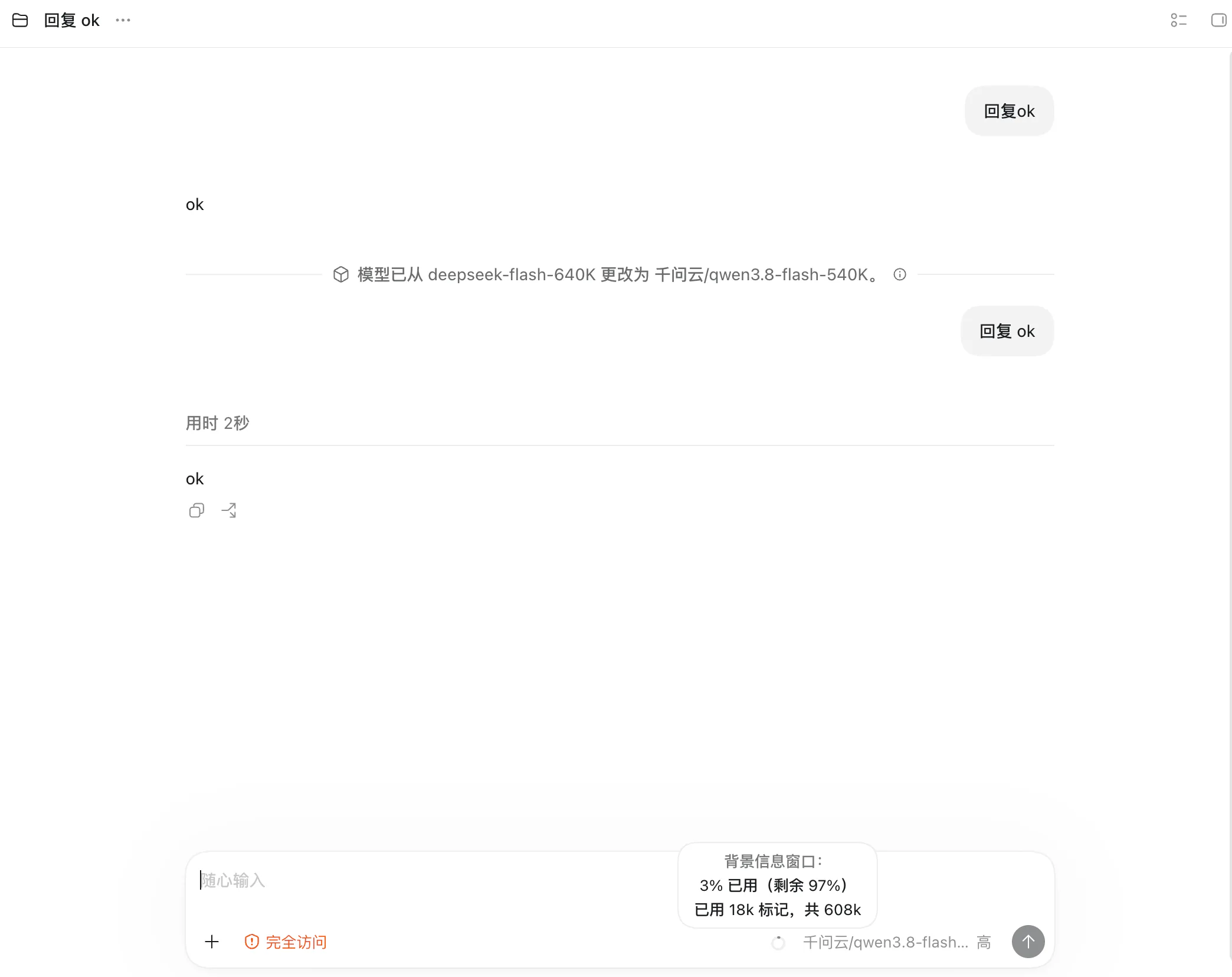
- Changing mid-session: pins only that session, leaving others alone. The timeline gains a “model changed from X to Y” divider showing that later requests used the new model;
- Across providers: works the same way — the local relay routes each request by the model name in it, so entries pointing at different endpoints coexist.
The CLI equivalents:
coskey use qwen/glm-5.3-flash-540K               # switch the global default (unpinned sessions, next turn)
coskey use qwen/glm-5.3-flash-540K --thread <id> # pin one session only
coskey unpin <id>                                # release the pin, follow the global default again
3. Switching mid-session: the model changes, the window does not
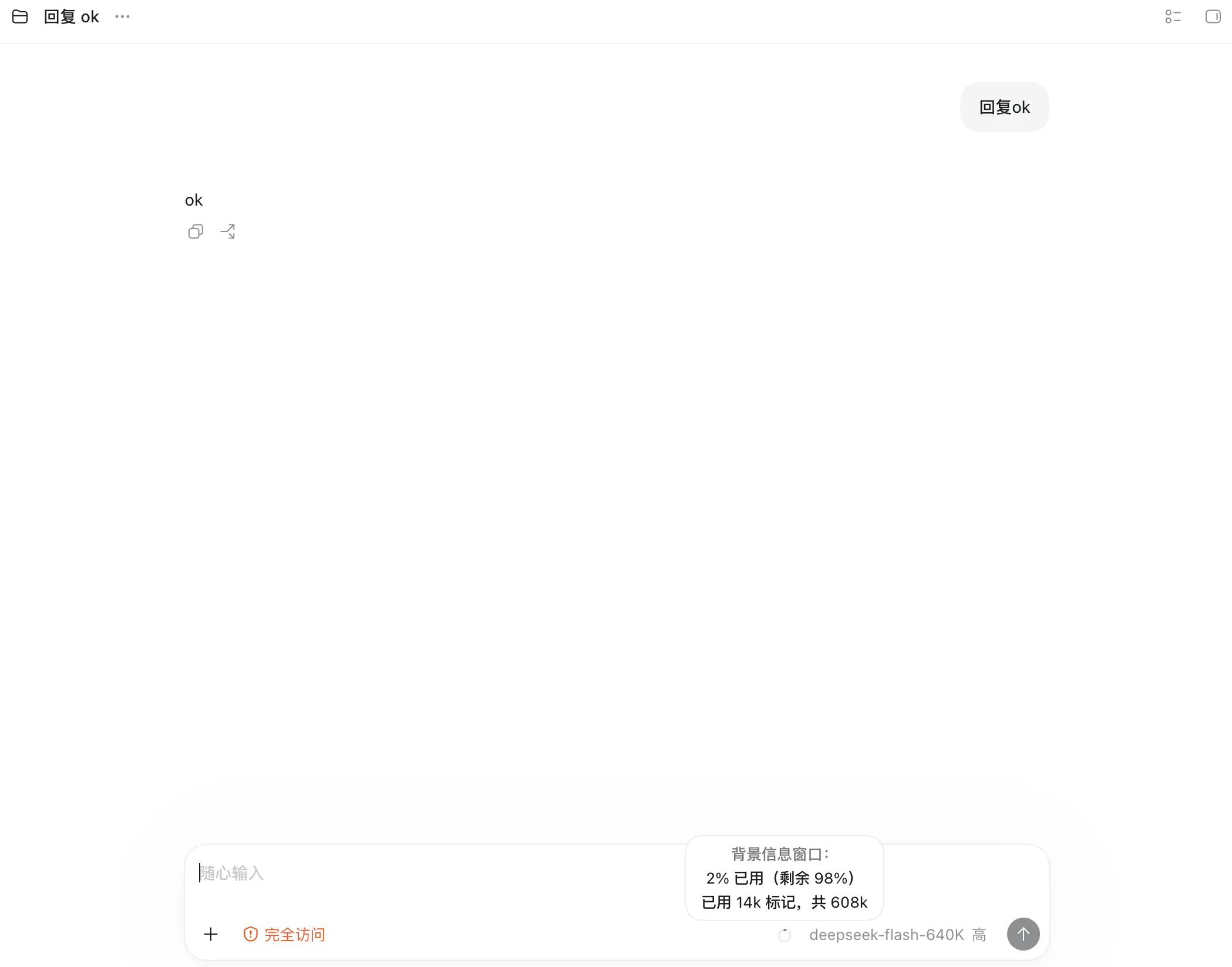
The context window is injected once, when a session is created (a new session, a fork, or a cold resume after restarting the app). Changing models mid-session routes replies through the new model while the window keeps its birth value. Measured on a real machine:
-
Start a session on the 640K entry (effective 608K); the input box shows “608k total”:
-
Switch to a 540K entry (effective 513K) in the same session: replies are normal, but the window is still 608k:
-
To apply the new window, fork in ChatGPT.app (“continue from chat”), clone the session, or restart the app and let it cold-resume — the continued session is 513k:
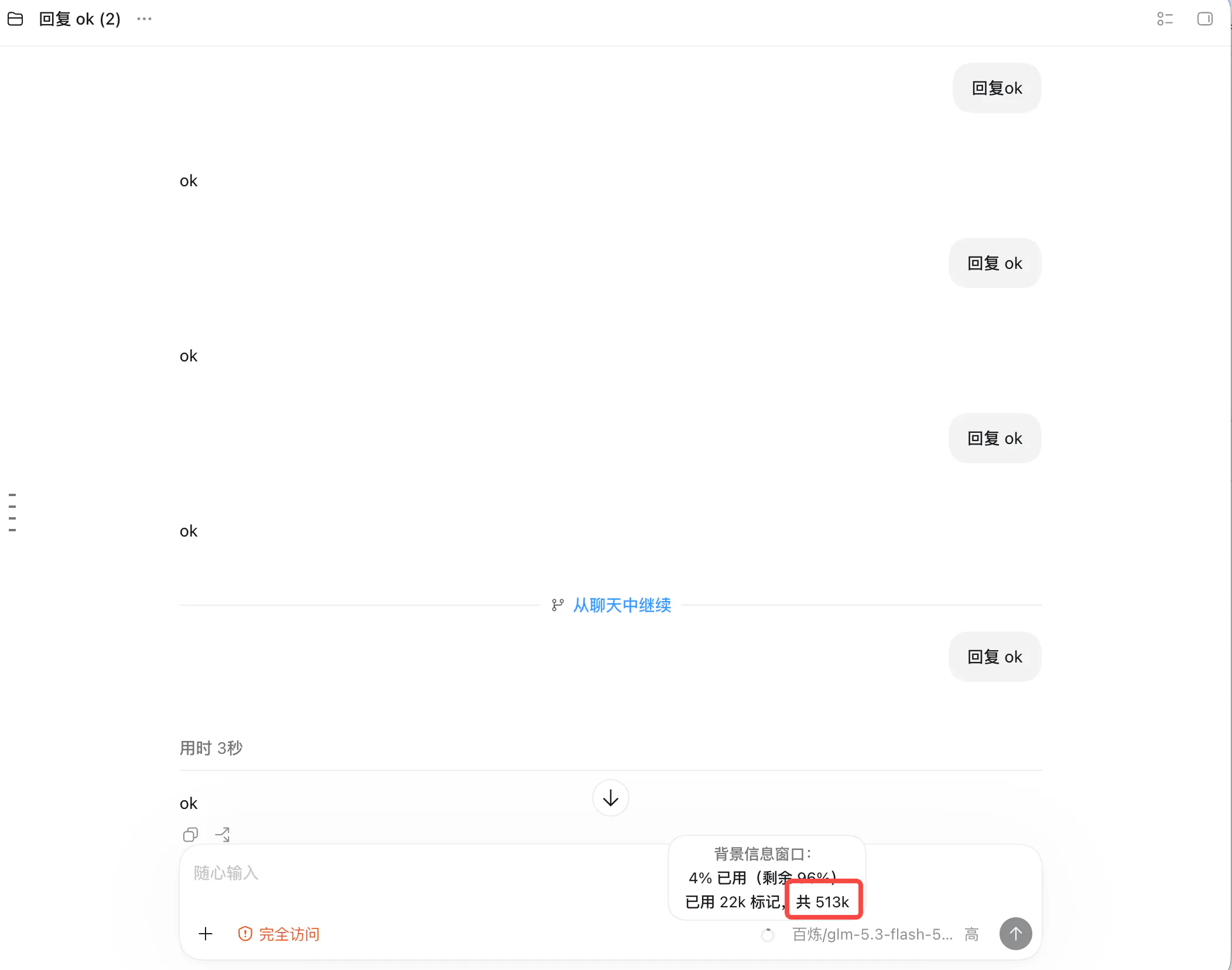
Coskey accounts for this on its side: such sessions are flagged “window pending”.
4. Common questions
| Symptom | Cause / fix |
|---|---|
| A model never shows up in the picker | Configuration changes need an app restart; also check that the upstream model has a mapping |
| An upstream model shows an empty “used by” | It is in the catalogue only; add a mapping for it |
| A card says “no key” | The keychain has no key for that provider: edit the provider and enter it again (old values are not echoed) |
| A model is marked “translated” | The upstream lacks /responses, so the local layer converts responses ⇄ chat; on that path images and files are dropped, so reasoning models are better served by native endpoints |
| The window did not change in a live session | Window overrides cannot be updated for a running session (flagged “window pending”); fork, clone or restart the app |
| Asked for 1M, got 608K | Effective window = min(injected value, catalogue cap) × 95%, which the form displays |
| The slider stops at 272K | The id matches no catalogue entry: add a window template named after its prefix |
| Want a different upstream endpoint | Edit the provider’s Base URL, or change the mapping’s target — neither disturbs the provider |
| Want to turn it all off temporarily | Turn off the global switch in Settings; the wrapper becomes a passthrough |
Next: Session management.