1. Two kinds of fact
- Provider = an OpenAI-compatible Base URL plus an API key. The key lives in the system
keychain (macOS Keychain, service
ai.cosk.coskey) — never in a config file, never in logs. - Upstream model = a factual record under that provider: the
modelfield sent upstream, which protocol it speaks, and its context window.
Upstream models land in the catalogue by default and never appear in the ChatGPT.app picker on their own. To get them there, create a mapping — see Mappings and context windows.
2. Add a provider
Open the Providers page and click “New provider”; there are four fields:
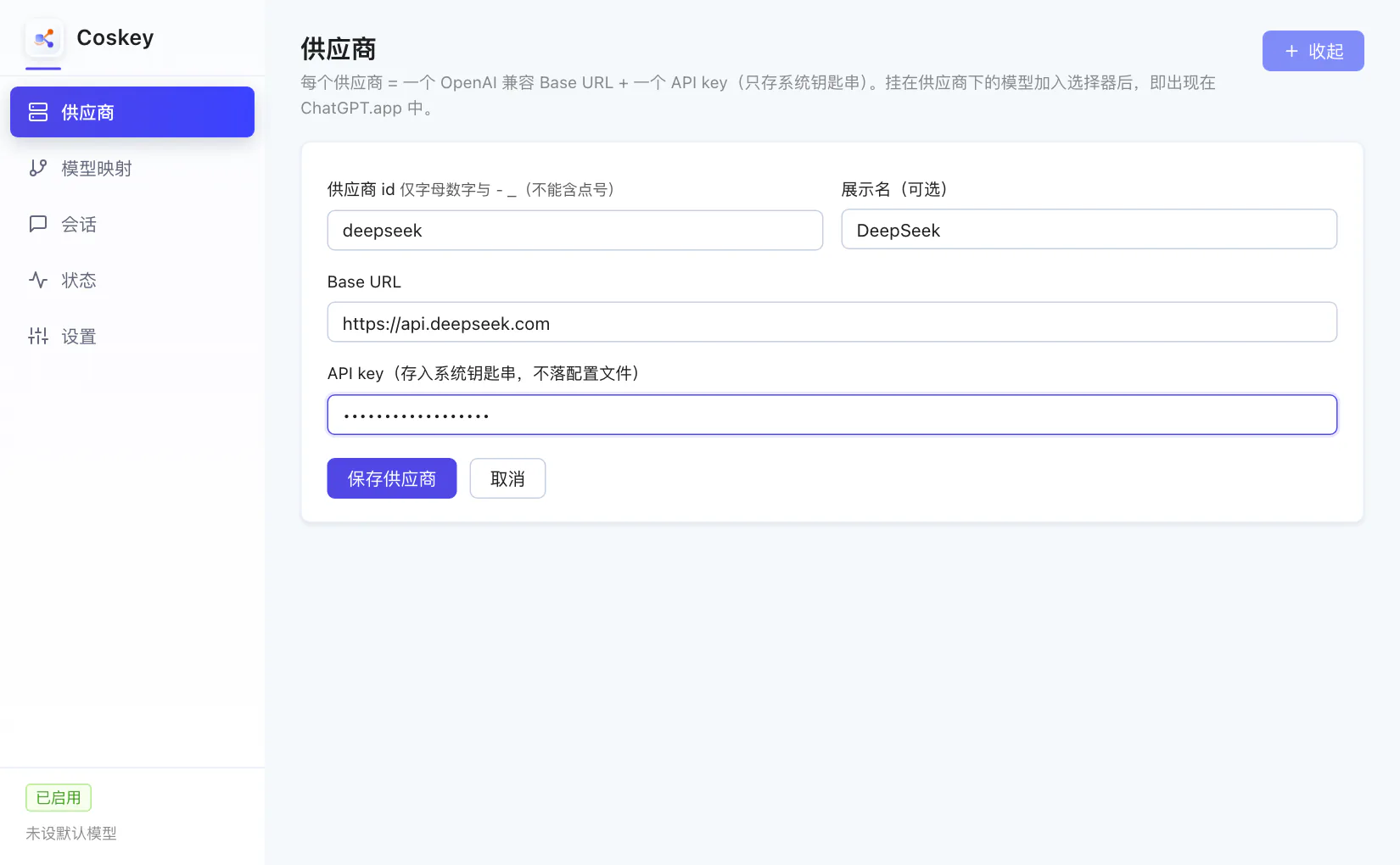
| Field | Notes |
|---|---|
| Provider id | Letters, digits, - and _ only; it becomes the namespace of mapping ids |
| Display name (optional) | The card title and the prefix of generated display names |
| Base URL | The OpenAI-compatible endpoint, exactly as the provider documents it (whether it includes /v1 varies) |
| API key | Not echoed; written to the system keychain on save |
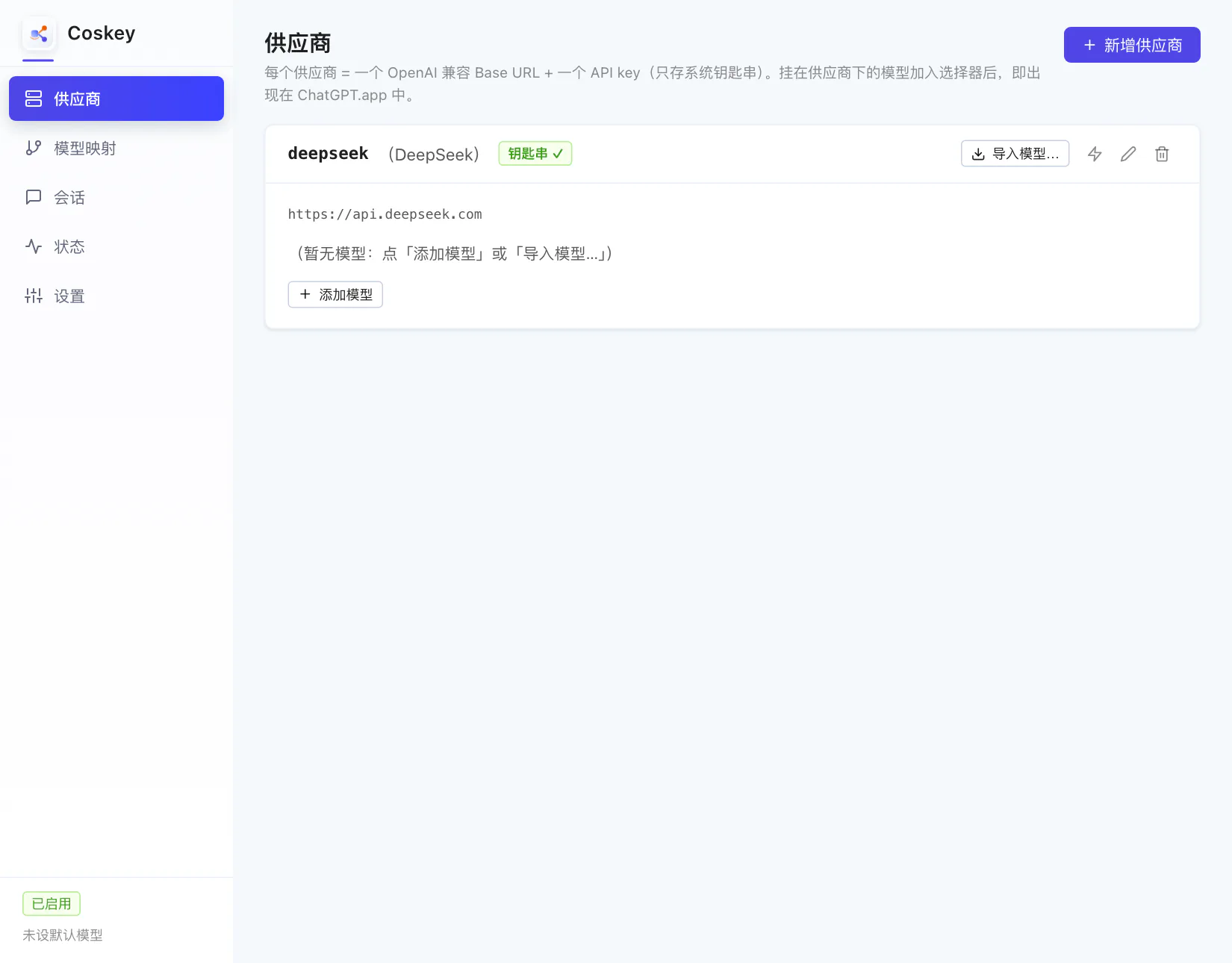
The card appears as soon as you save, with a keychain check mark next to its title:
3. Import models from the upstream list
Click “Import models…”. Coskey pulls the upstream /models list once with that provider’s
key and shows the models that are not in the catalogue yet:
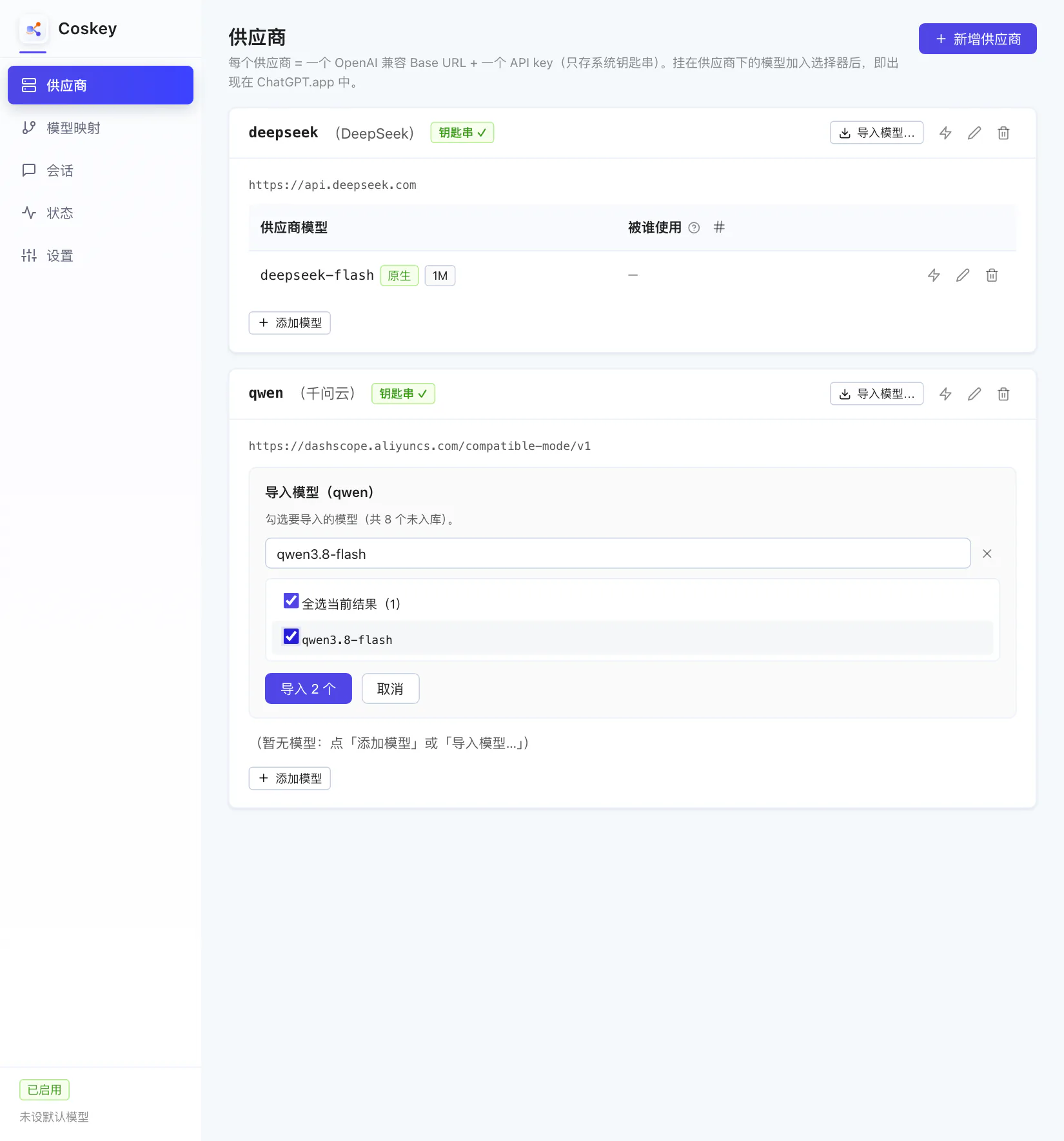
- The search box filters by name; searching only affects what is displayed and never drops your selection;
- Select all results ticks everything in the current search;
- Press “Import N”.
Each model is probed for /responses while importing, and the verdict is stored with it:
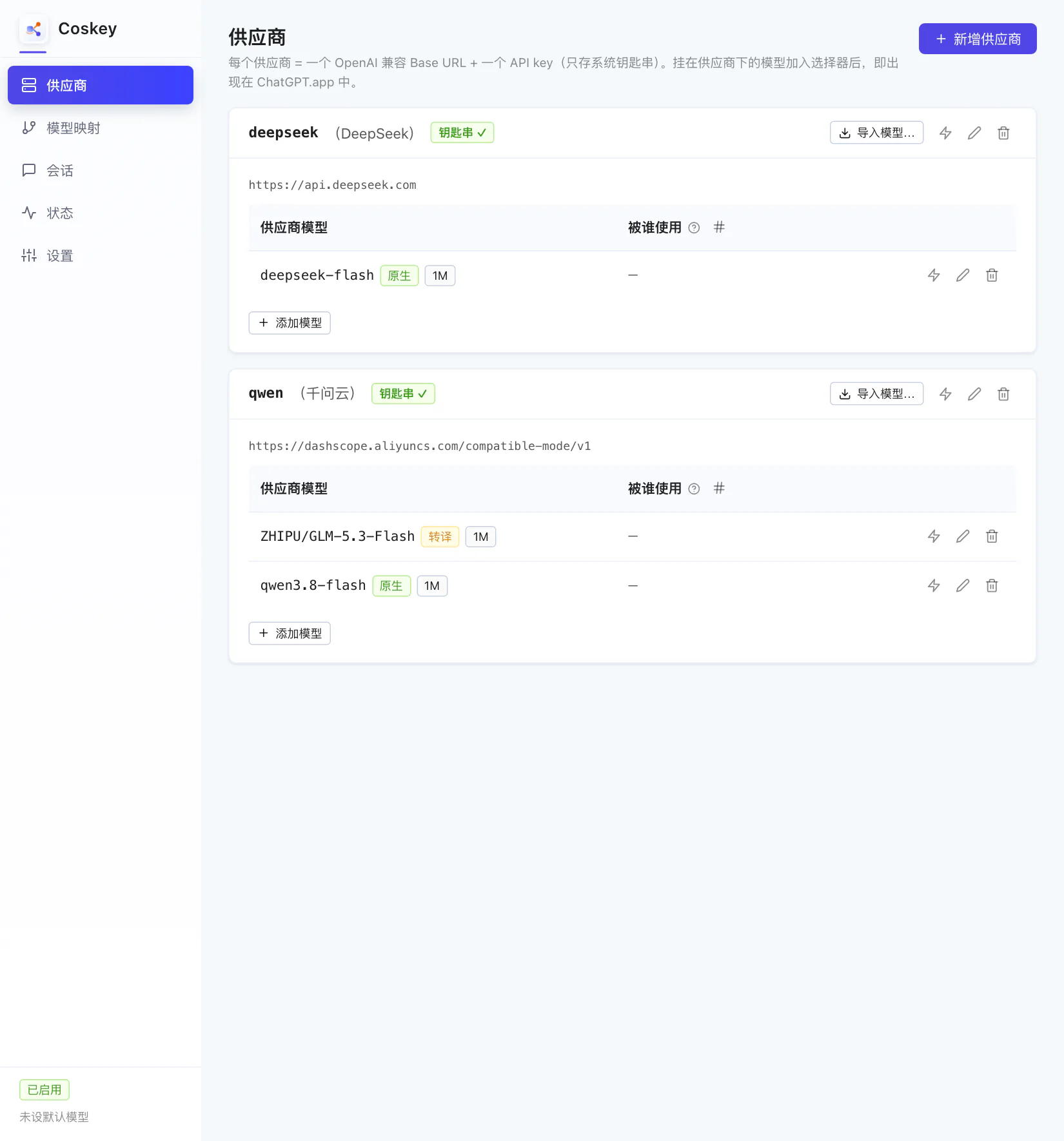
- Native = the upstream supports
/v1/responses, so requests pass through (tool definitions and system instructions included); - Translated = the upstream only offers chat/completions, so the local translation layer converts responses ⇄ chat both ways, streaming and tool calls included;
- The “used by” column is still empty (—): the model is in the catalogue but not yet in the ChatGPT.app picker.
Models missing from the upstream list (common with self-hosted gateways) can be added by hand with “+ Add model”: enter the upstream
modelfield and the window fact value, and the protocol is detected the same way.
4. Other controls on the card
| Control | Purpose |
|---|---|
| Import models… | Pull the upstream /models list, search and multi-select (the recommended route) |
| + Add model | Enter a single model by hand |
| Time the Base URL | Check that the address responds and how long a round trip takes |
| Test connection | Send one minimal request using the model’s protocol and report the result |
| Edit / delete | Deleting a provider also removes its models, picker entries and keychain item (with a confirmation) |
| “Used by” column | Shows the name this upstream model appears under in the ChatGPT.app picker; empty means no mapping yet |
Quit and reopen ChatGPT.app after changing any of this.
Next: Mappings and context windows.