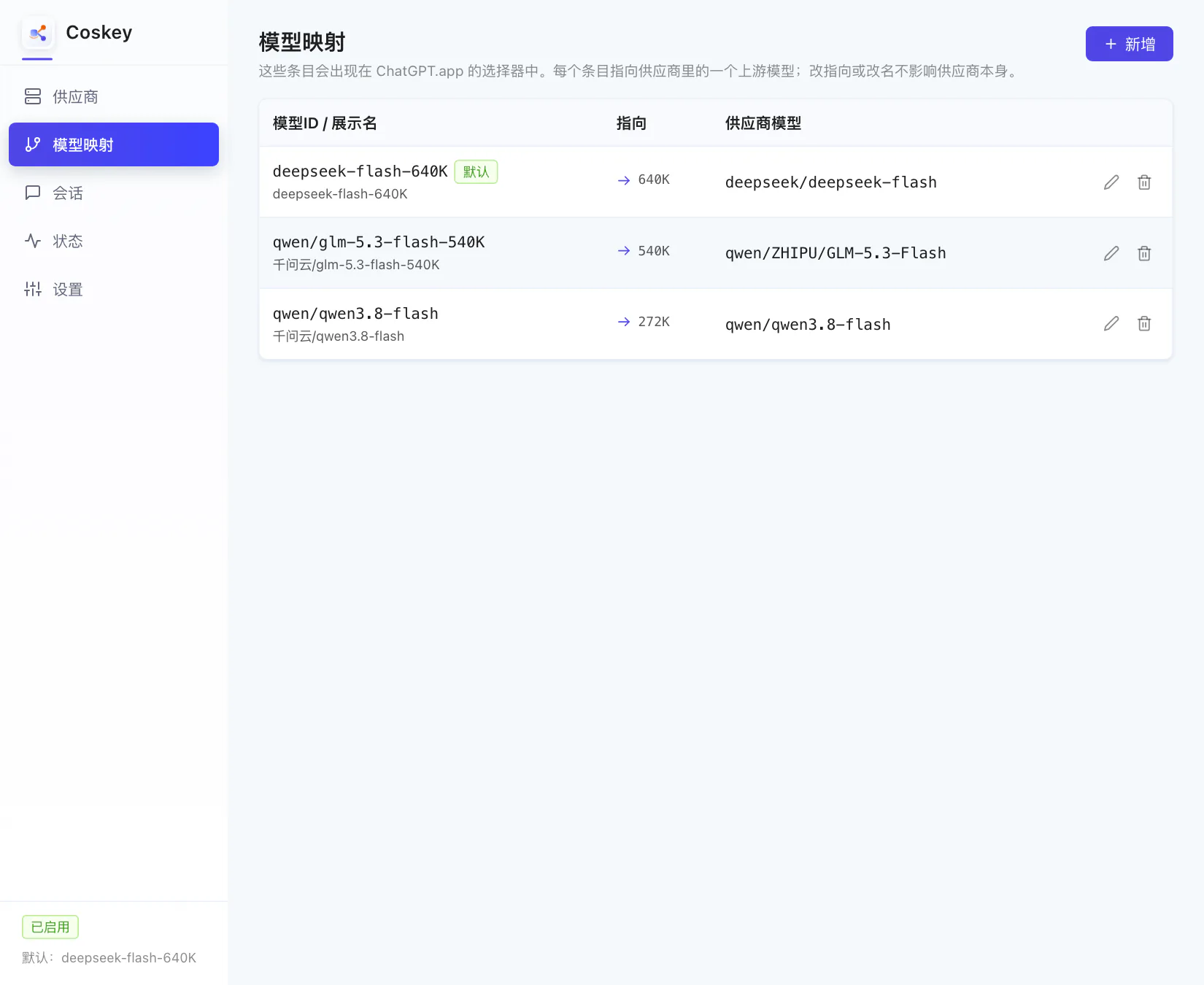
Every row on the “Model mapping” page equals one entry in the ChatGPT.app model picker. A row points at an upstream model under some provider and can override its context window and generation parameters.
That design pays off in the details: one upstream model can back several entries (“thrifty 32K” and “full window”, say), windows and parameters travel with the entry, and changing the upstream endpoint does not disturb what you already configured.
0. Make sure long context is unlocked
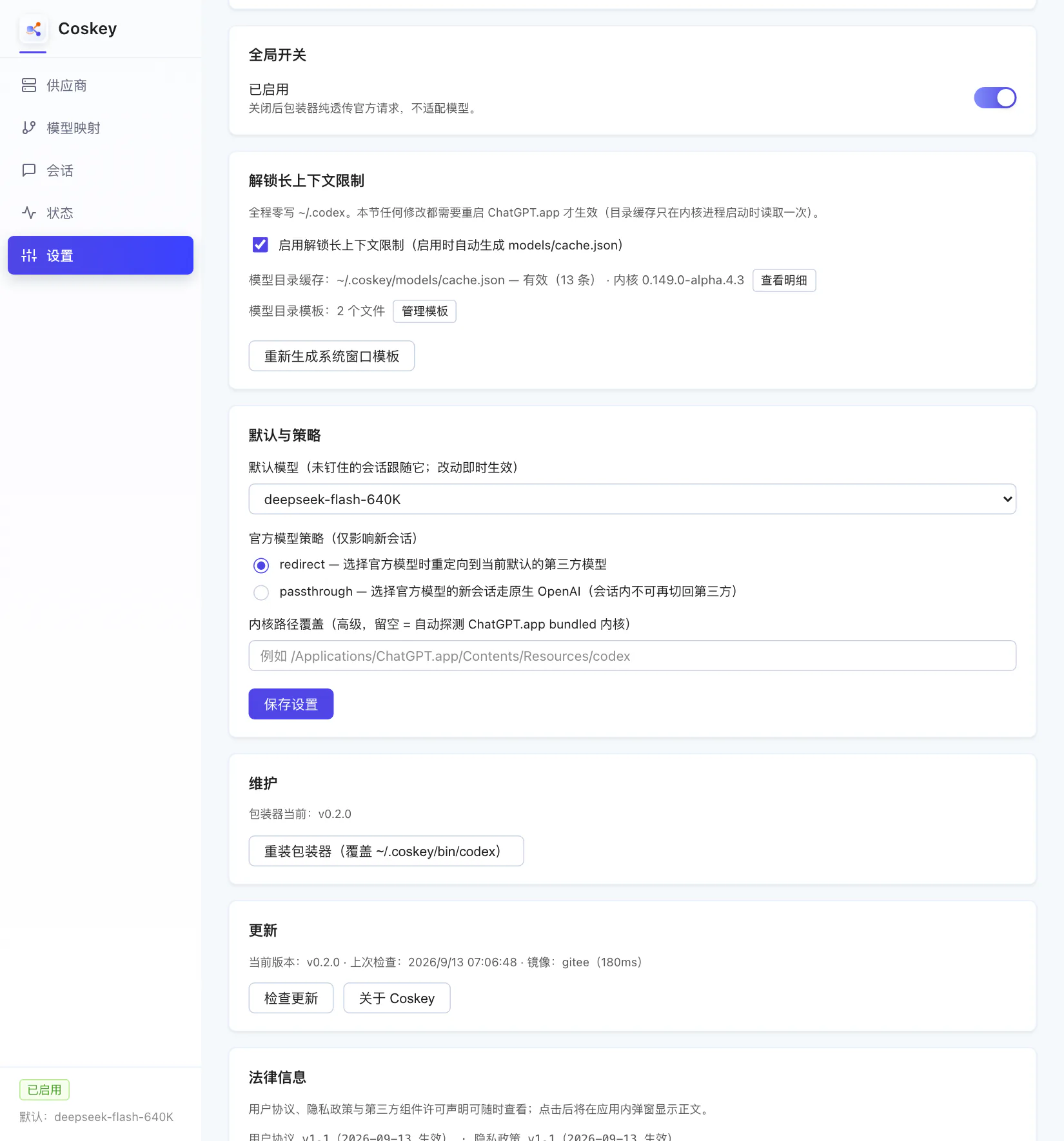
Windows above 272K depend on catalogue mode: Coskey injects its own model catalogue cache
when it starts the kernel, which lets the kernel relax the window cap according to catalogue
entries (nothing is written to ~/.codex). It is on by default; confirm it on the Settings
page:
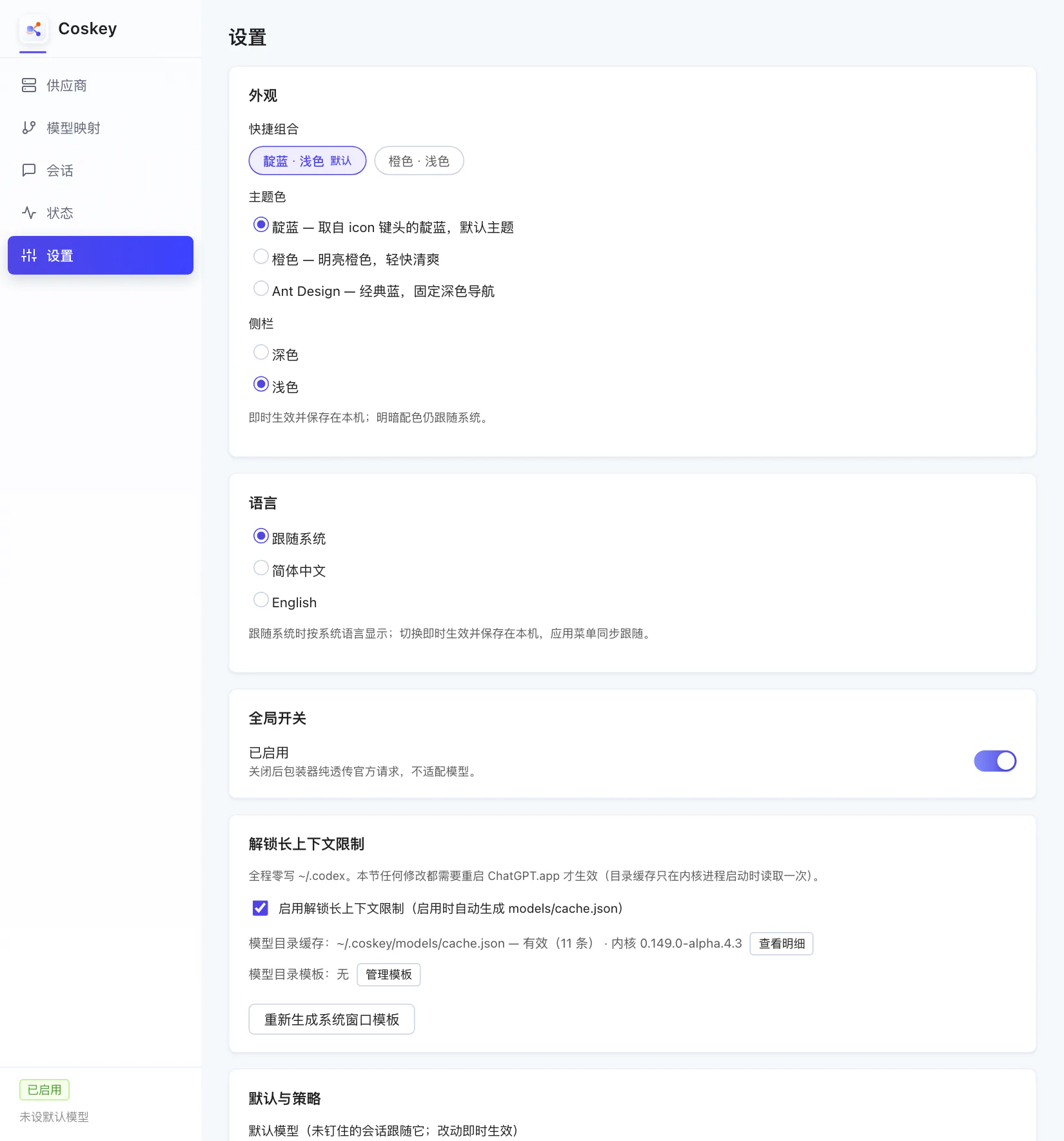
The catalogue cache is read once, when the kernel starts — so restart ChatGPT.app after changing it.
1. Create a mapping
Click “New” and choose the upstream model under “Target”:
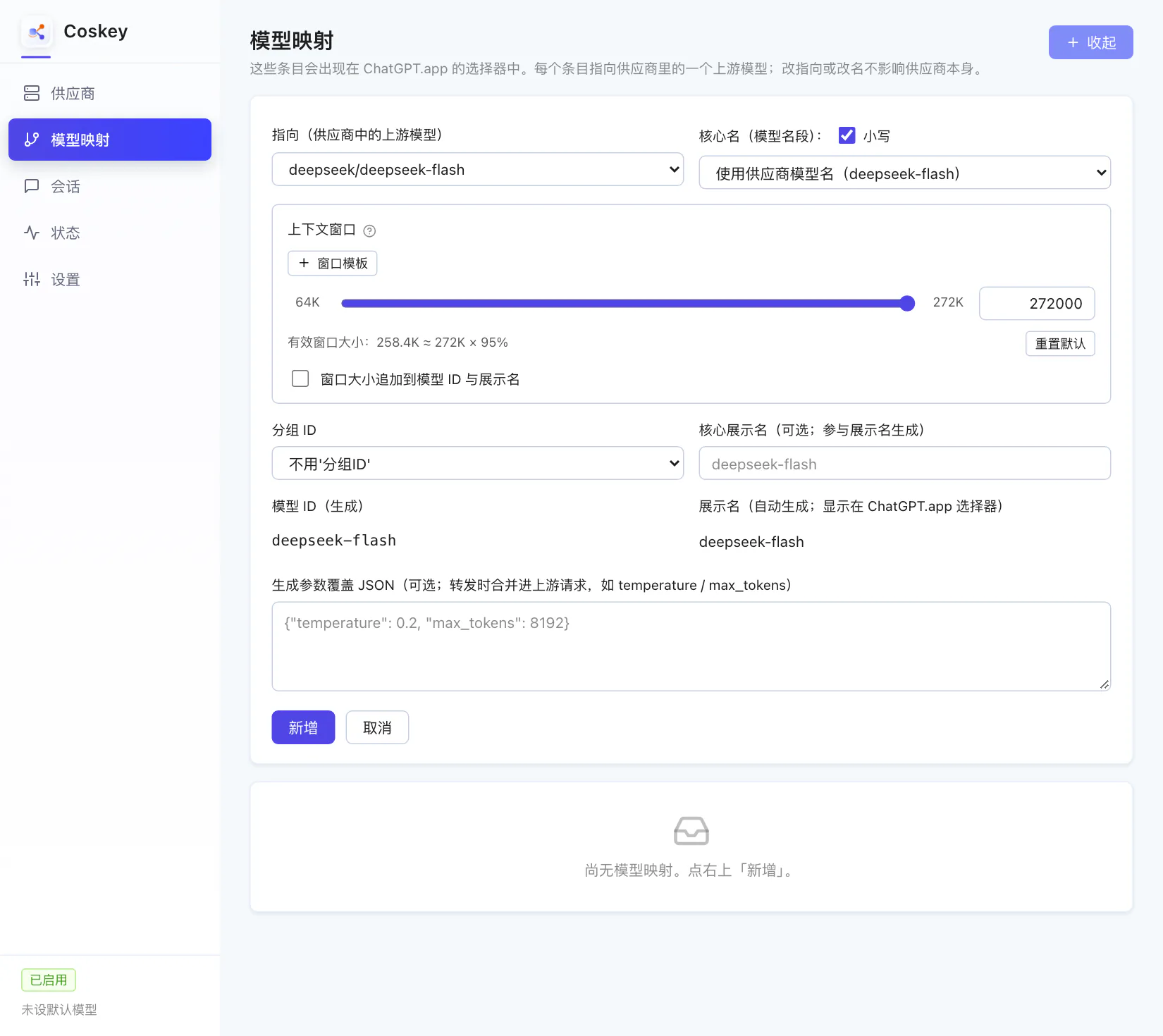
- Target: the upstream model;
- Core name: defaults to the last segment of the upstream model name, lowercased;
- Group id: choose none for a bare id, or the provider name to get a namespace;
- Context window: see below.
2. Set the context window
The kernel matches windows by name: if an entry’s id hits a catalogue entry, that entry’s window applies; without a hit you fall back to the 272K default. That is why the slider stops moving until a template exists.
Click “+ Window template” — the template name is prefilled from the core name:
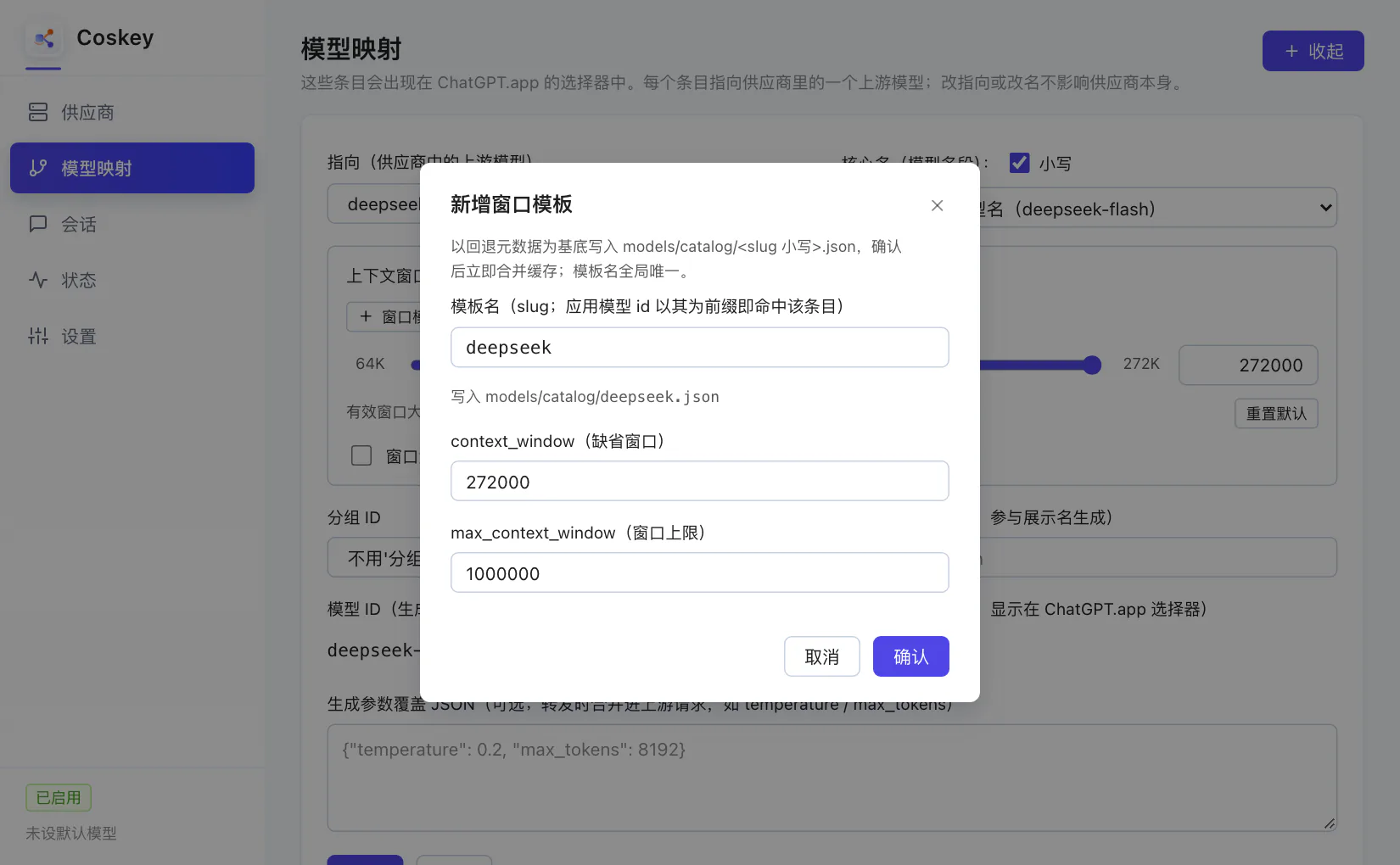
| Field | Meaning |
|---|---|
| Template name (slug) | Any app model id prefixed with it matches (the kernel takes the longest prefix) |
context_window |
Default window: what the kernel uses when you do not override it |
max_context_window |
The cap applied to the window you inject |
The window section then shows the matched template:
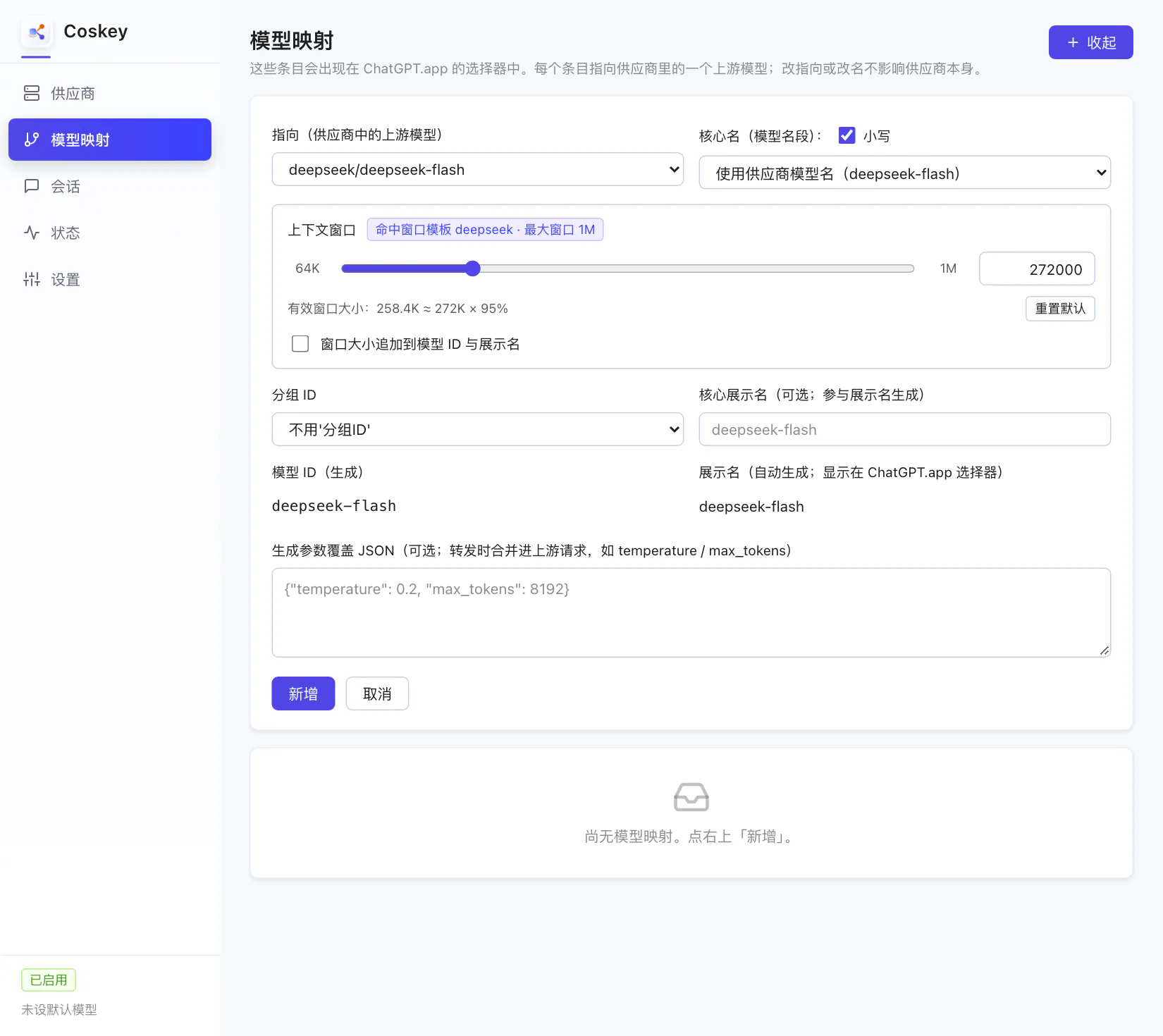
Now drag the window to the size you want. The “append window size to the model id and display name” box turns on automatically, so the id and name carry the suffix:
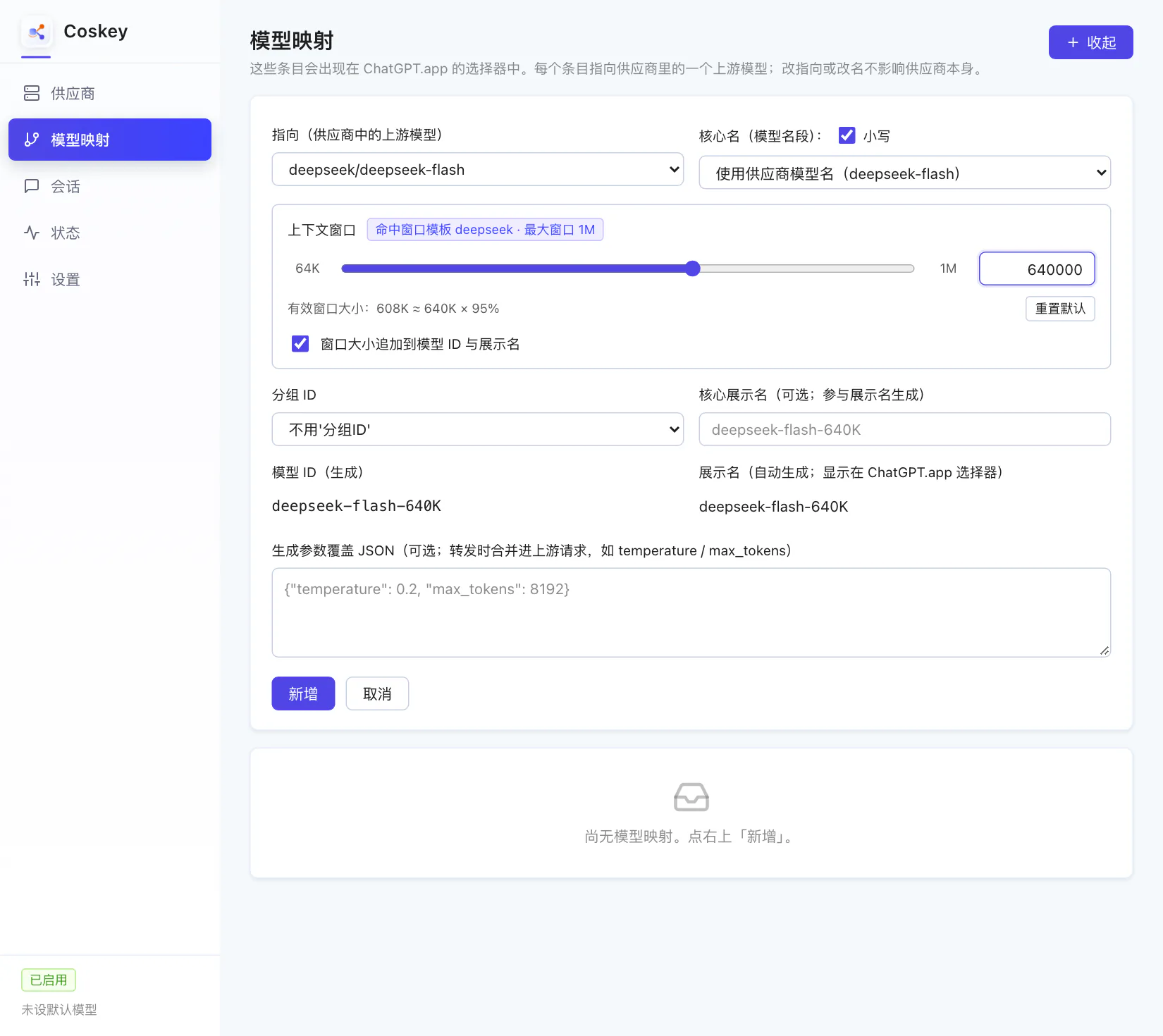
Two rules worth remembering:
- Effective window = min(injected value, catalogue cap) × 95%: ask for 640K and the kernel sees 608K, already computed for you in the form;
- The window follows the name: the id is what the kernel sees as the model name, so name
entries by window (
-640K) and give each size its own row.
For multi-level ids the kernel first matches the whole id, then strips one namespace/ layer
and tries again.
If a live session does not follow a window change: window overrides cannot be updated for a running session, and the session list flags it “window pending”. It takes effect after a fork (“continue from chat” in ChatGPT.app), a clone, or an app restart — measured on a real machine in Using it inside ChatGPT.app §3.
3. Generation parameters (optional)
The “generation parameter override JSON” field at the bottom of the form takes parameter
names from the upstream API, for instance {"temperature": 0.2, "max_tokens": 8192}. The
values are merged only when forwarding upstream and do not affect other models. On the
translation path max_output_tokens maps to max_tokens automatically.
4. Make it the default
Open any row’s detail view: “Set as default” decides which model unpinned sessions follow.
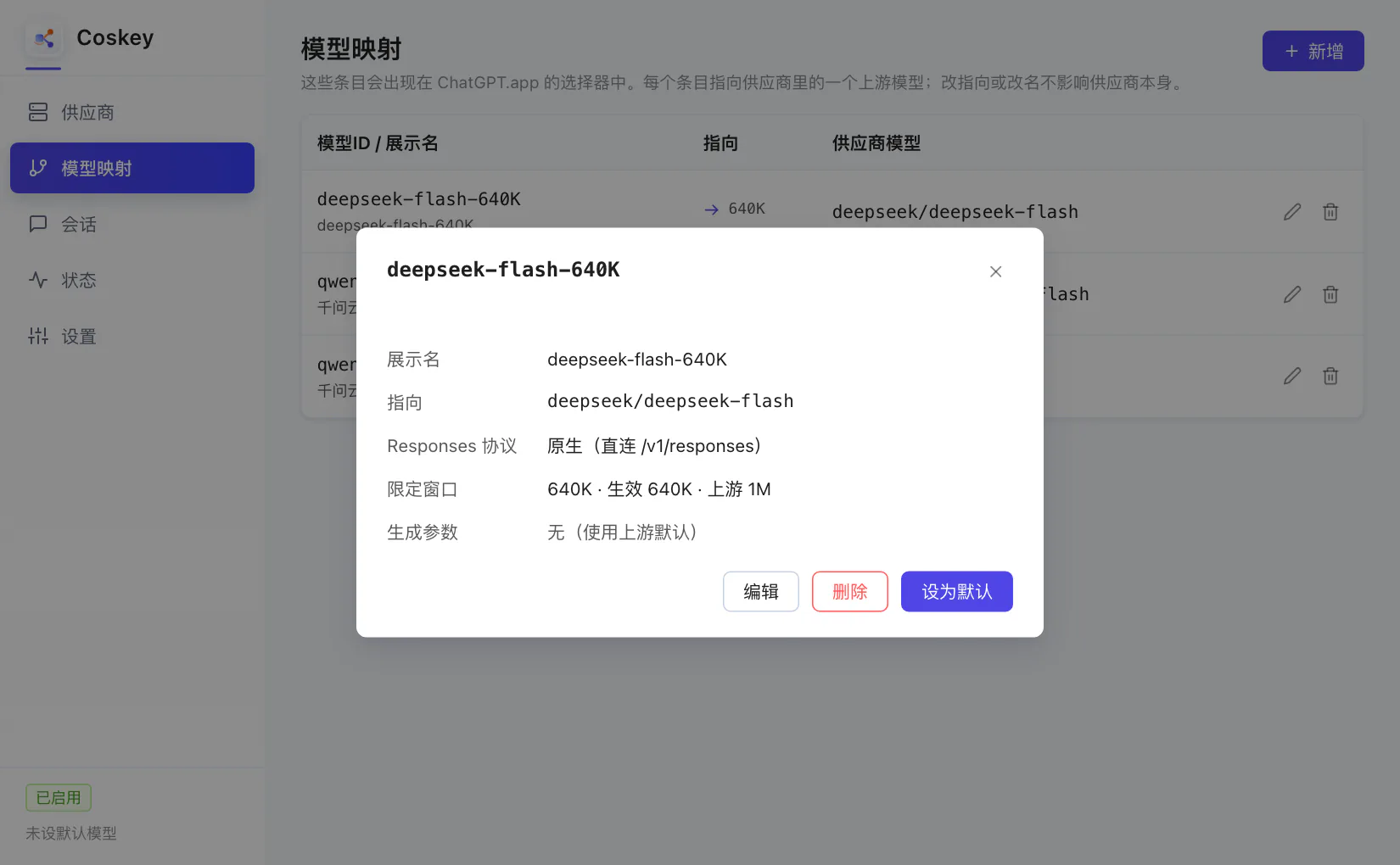
Once set, the row is marked “default” and the current default shows in the status bar:
The “Default and policy” section on the Settings page is the same switch: the default model
takes effect immediately, and the official-model policy decides what happens when you pick an
official model in ChatGPT.app — redirect sends it to the default third-party model, while
passthrough talks to OpenAI directly.
Next: Using it inside ChatGPT.app.