Coskey is a standalone desktop app. It does not modify or repackage ChatGPT.app — it simply points the app’s Code sessions at whichever OpenAI-compatible provider you choose.
1. Before you start
| Requirement | Notes |
|---|---|
| System | macOS 13+ or Windows 10+ |
| ChatGPT.app | Installed (on macOS Coskey looks in /Applications/ChatGPT.app and ~/Applications; on Windows it is an MSIX package) |
| Provider | An OpenAI-compatible endpoint (https://…/v1) and an API key |
The endpoint requirement is modest: if it supports /v1/responses natively, requests pass
straight through; if it only speaks /v1/chat/completions, Coskey’s local translation layer
converts between the two.
2. Download and install
Installers are on the product page, released for both platforms in step:
| Platform | Artifact |
|---|---|
| macOS (Apple Silicon) | Coskey_<version>_aarch64.dmg |
| macOS (Intel) | Coskey_<version>_x64.dmg |
| Windows (x64) | Coskey_<version>_x64-setup.exe |
macOS: open the DMG, drag Coskey.app into Applications, and launch it (the build is signed and notarised). If macOS still warns about an unidentified developer — for example after you replaced the binary by hand — right-click the app and choose Open once.
Windows: run the -setup.exe. The installer is per-user (it lives in your user
directory and does not trigger UAC). The first release is not Authenticode-signed yet, so
SmartScreen shows a warning the first time: choose “More info → Run anyway”. In-app updates
are signed separately with minisign and are unaffected.
3. First launch: install the wrapper
The first launch has a single step:
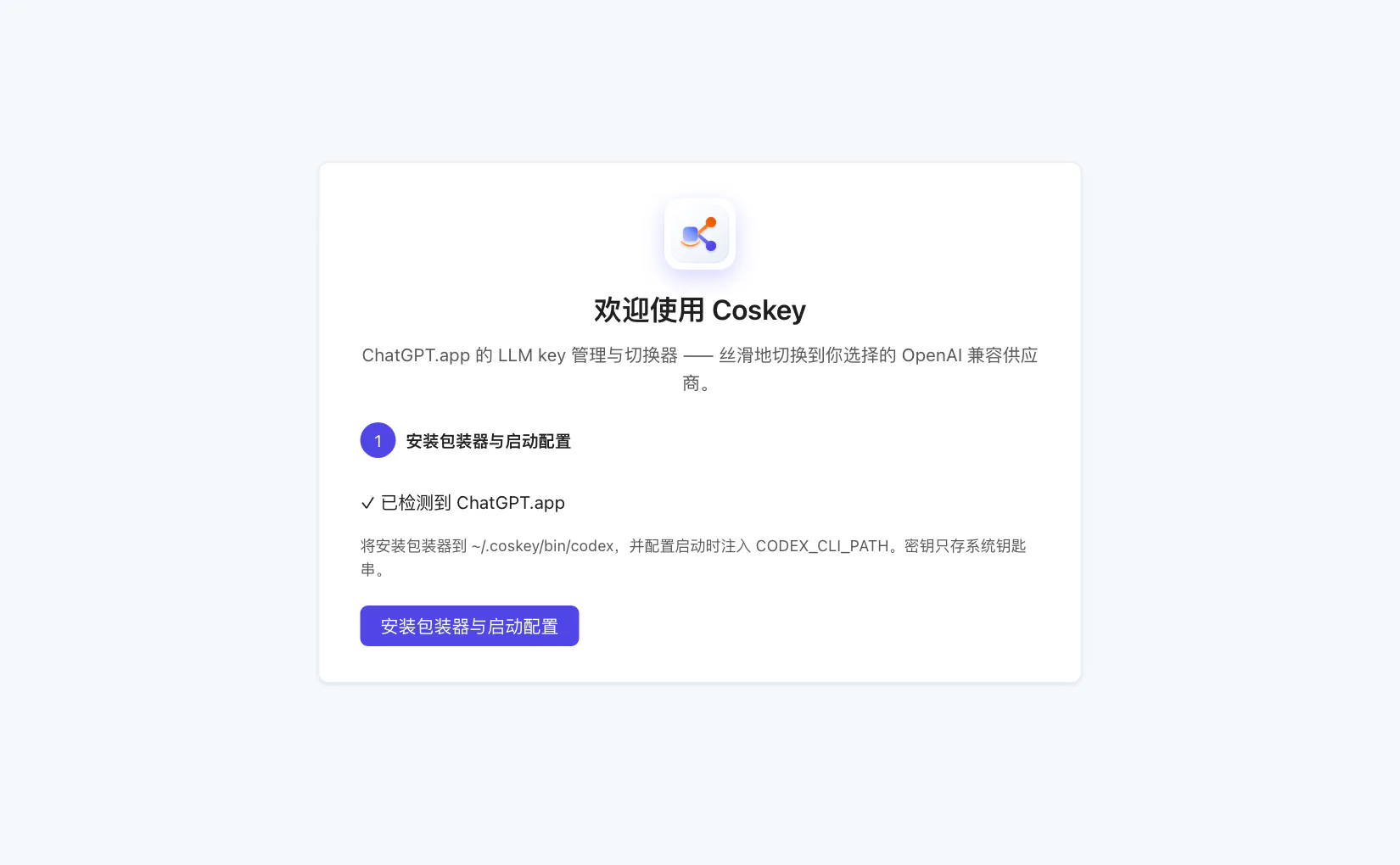
“Install the wrapper and login configuration” puts the wrapper at ~/.coskey/bin/codex and
arranges for CODEX_CLI_PATH to be injected at login (effective in the current session, no
logout needed). The top of the guide shows whether ChatGPT.app was detected.
What this step does: the Code features in ChatGPT.app are driven by the codex kernel
bundled inside it, and the app lets you override the kernel path with CODEX_CLI_PATH.
Coskey points that path at its own wrapper, which in turn starts the real kernel — giving it
one place to decide which provider and model each request should use.
4. When changes take effect
| Action | When it applies |
|---|---|
| Installing the wrapper; changing providers, models or mappings | After you quit and reopen ChatGPT.app |
| Switching the default model in Settings | Immediately: unpinned sessions follow it on their next turn |
| The global switch in Settings | Immediately: turning it off makes the wrapper a plain passthrough |
Configuration changes need an app restart because a running wrapper holds the configuration snapshot it read at startup. Coskey says so explicitly rather than leaving you guessing.
5. Upgrading
The app updates itself when a new version appears, and update packages carry a minisign
signature. Providers, mappings and keys live in ~/.coskey and the system keychain, so
upgrading neither breaks nor migrates them.