Remote plugins come from the plugin index maintained by Coskey. Coskey discovers new versions and downloads and verifies the package; only after a successful download does the plugin enter the local marketplace. ChatGPT.app still performs installation and enablement.
1. Check the remote index
Opening Coskey → Plugins automatically checks the remote index; there is no separate Check for updates button. Remote entries are merged with installed local plugins. A remote-only entry is marked Remote and Not downloaded; when an older local copy exists, its plugin logo stays visible and a newer remote version adds Remote vX and a download icon.
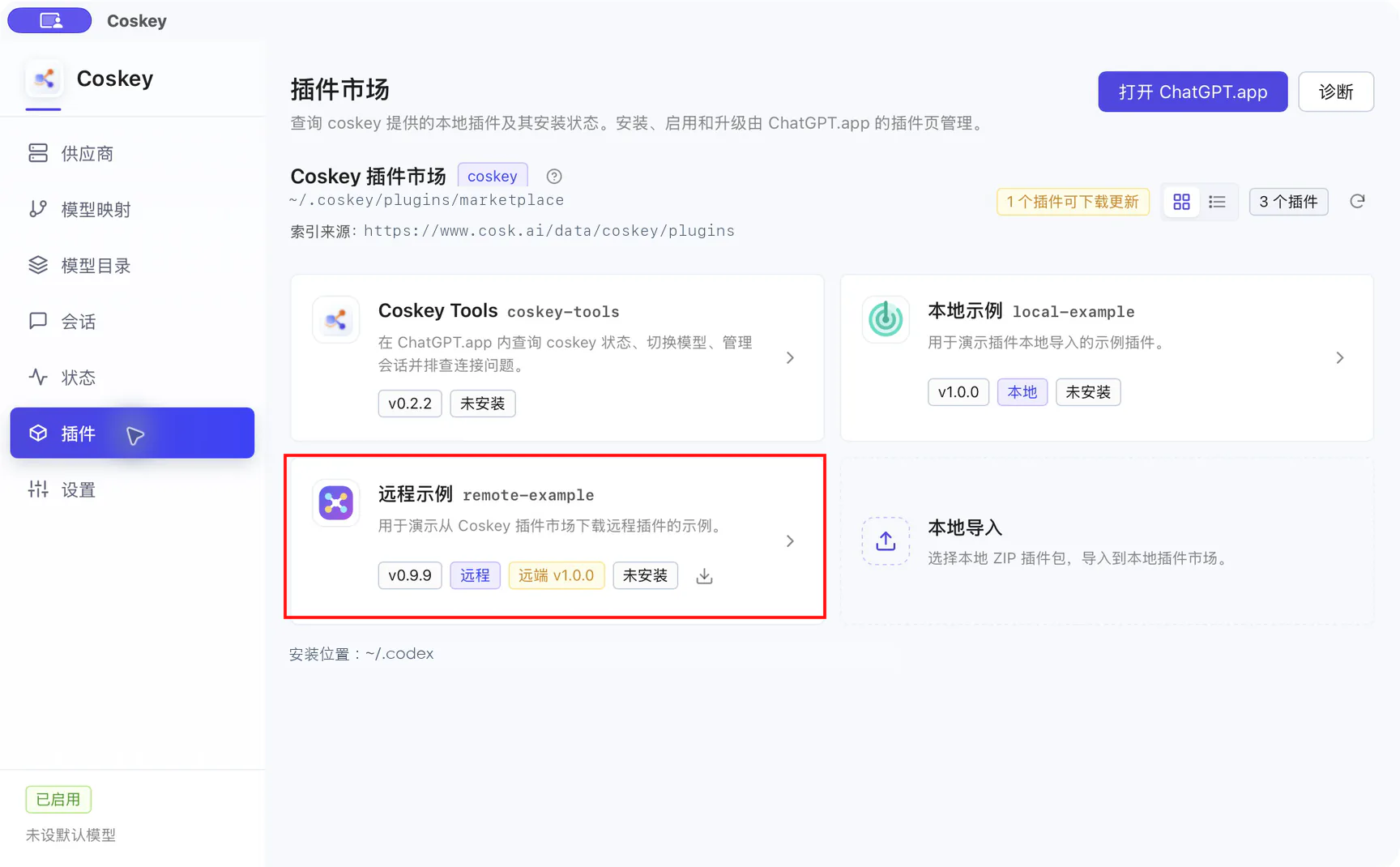
In the example above:
| Label | Meaning |
|---|---|
Version v0.9.9 |
The version currently available in the local marketplace |
| Remote | The source is Coskey’s remote index |
| Remote v1.0.0 | The version offered by the remote index |
| Not installed | The local copy has not been installed in ChatGPT.app |
| Download icon | Downloads only this plugin; it does not install it |
The N plugin updates available banner at the top right summarises the list. If the network is unavailable, Coskey uses the most recent successful index cache, so existing local versions remain available.
2. Download into the local marketplace
- Click the download icon on the remote plugin card.
- Read the version and local MCP permission notice in the confirmation dialog.
- Select Download plugin.
Coskey downloads the ZIP, checks its size and SHA-256 against the index, extracts it within the archive limits and switches the local marketplace atomically. A failed check or extraction keeps the current manifest and previous version instead of leaving a partial install.
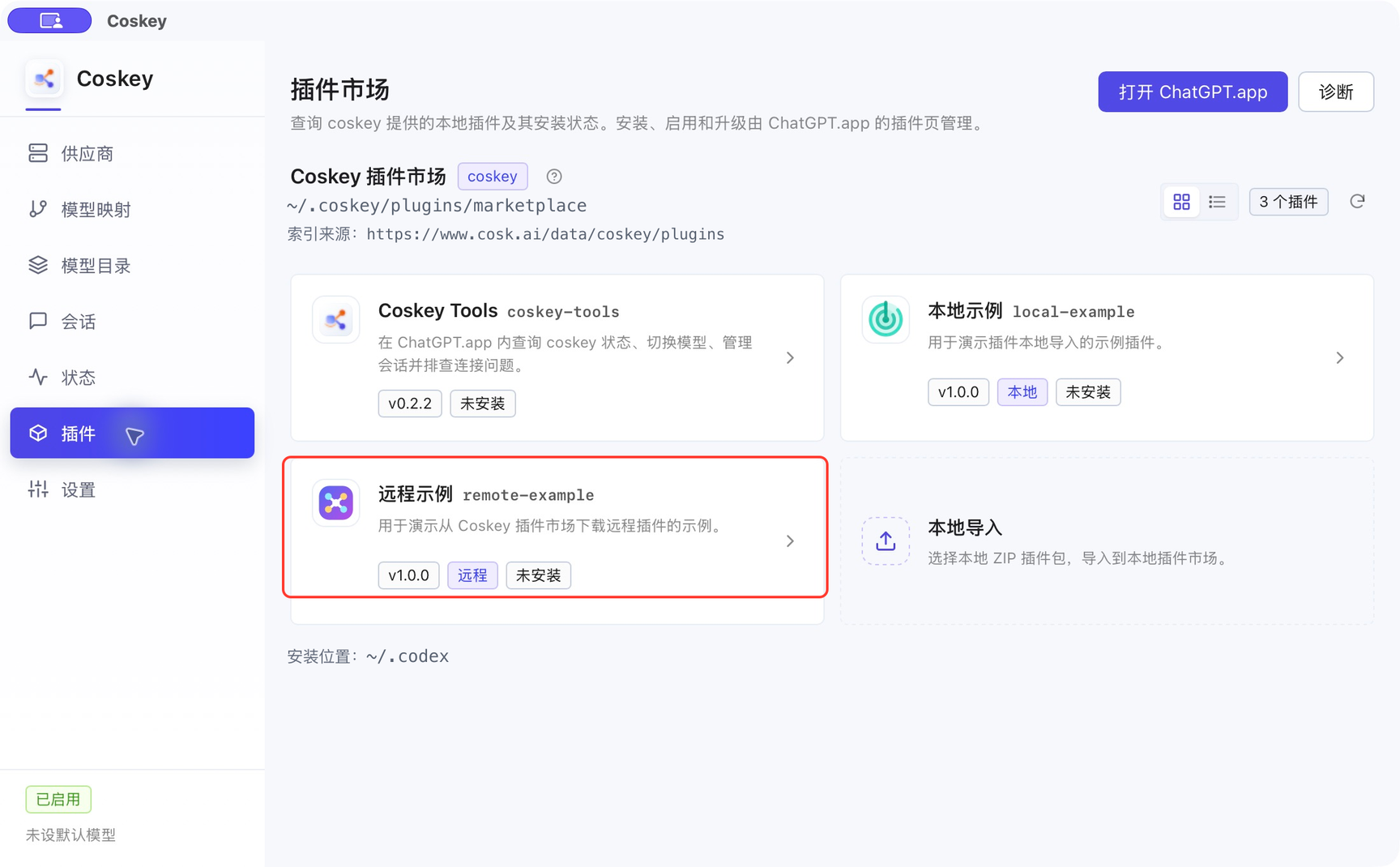
After download, the card still says Remote and switches to the newer marketplace version. A remote-only entry changes from Not downloaded to Not installed. This step only prepares the local copy:
3. Install or upgrade in ChatGPT.app
- Click Open ChatGPT.app in Coskey.
- Open Plugins in ChatGPT.app.
- Select the Coskey plugin marketplace.
- Install the plugin, or reinstall or upgrade an existing version.
- Return to Coskey, click Refresh and verify the installation state.
As with a local import, the plugin becomes usable after the card shows Installed and enabled. Upgrading the marketplace copy does not replace ChatGPT.app’s cache automatically; reinstall the new version from the app’s Plugins page. See the complete flow in Local import: install or enable in ChatGPT.app.
4. Refresh and offline use
- Refresh: rebuilds the local marketplace and checks the remote index again; it does not download or install plugins automatically.
- Offline index cache: when networking fails, the most recent index is kept and downloaded versions remain usable.
- Remote update: when a card shows Remote vX and a download icon, download it and then reinstall from ChatGPT.app.
- Single-plugin download: the card’s download icon updates only that plugin; it does not sync the whole remote index.
5. Roll back
If the detail page offers a previous generation, you can roll back the marketplace copy in Coskey. The rollback is offline and does not contact the remote index. Reinstall the plugin in ChatGPT.app afterwards so the app switches to that copy.
6. Troubleshooting
| Symptom | Fix |
|---|---|
| A remote plugin is missing | Reopen the Plugins page or click Refresh with networking available; if it still fails, run Diagnostics to check the index cache and marketplace structure |
| No download button | The offered version already matches the local marketplace, or the remote archive does not support this platform |
| The download fails | Check the network and remote archive; Coskey keeps the previous manifest and version, so retry after fixing the source |
| The download completes but ChatGPT.app cannot see it | Expected: downloading only adds it to the local marketplace; install it from the app’s Plugins page |
| The app still uses the old version | Reinstall or upgrade it in ChatGPT.app, then refresh the status in Coskey |
| First download warns about a local MCP | Review the MCP name and source in the plugin details before confirming that the package is trusted |
7. Security boundary
Remote download checks package structure, size and SHA-256, but this is not a security audit of the plugin code. The remote index only serves plugins published by Coskey and does not proxy the official ChatGPT plugin directory; downloads from non-loopback addresses must use HTTPS.
Related: Import a local plugin, Coskey Tools.