Coskey
Model switching and key management for ChatGPT.app
Switch models in ChatGPT.app / Codex.app freely and smoothly.
v0.2.0 · macOS 13+ · Windows 10+
Why Coskey
None of this should be this hard
If you have ever wrestled with this kind of configuration, Coskey exists for you.
Pain
The usual way
Coskey
Third-party model setup is complex, and only one model fits
Hand-edit ~/.codex/config.toml — fiddly and easy to get wrong
Enter the provider and key in the GUI, never touching a config file
ChatGPT.app shows only “Custom”, with no way to list several models
The model picker has no third-party entries
Third-party entries sit next to the official models, what you pick is what runs, and you can switch mid-session
Context window capped at 272K
Third-party windows are fixed at whatever default you get
Configure window sizes freely: every app model sets its own window and generation parameters, so one upstream model can be offered at several sizes
Switching providers leaves historical sessions unable to open
Start a new session and leave the historical one behind
A global default plus per-session pinning switches seamlessly across providers; existing sessions can be adopted
Two paths to get going
Plug it in, then pick it in the app
Screenshots are taken from the Coskey interface and from ChatGPT.app running for real.
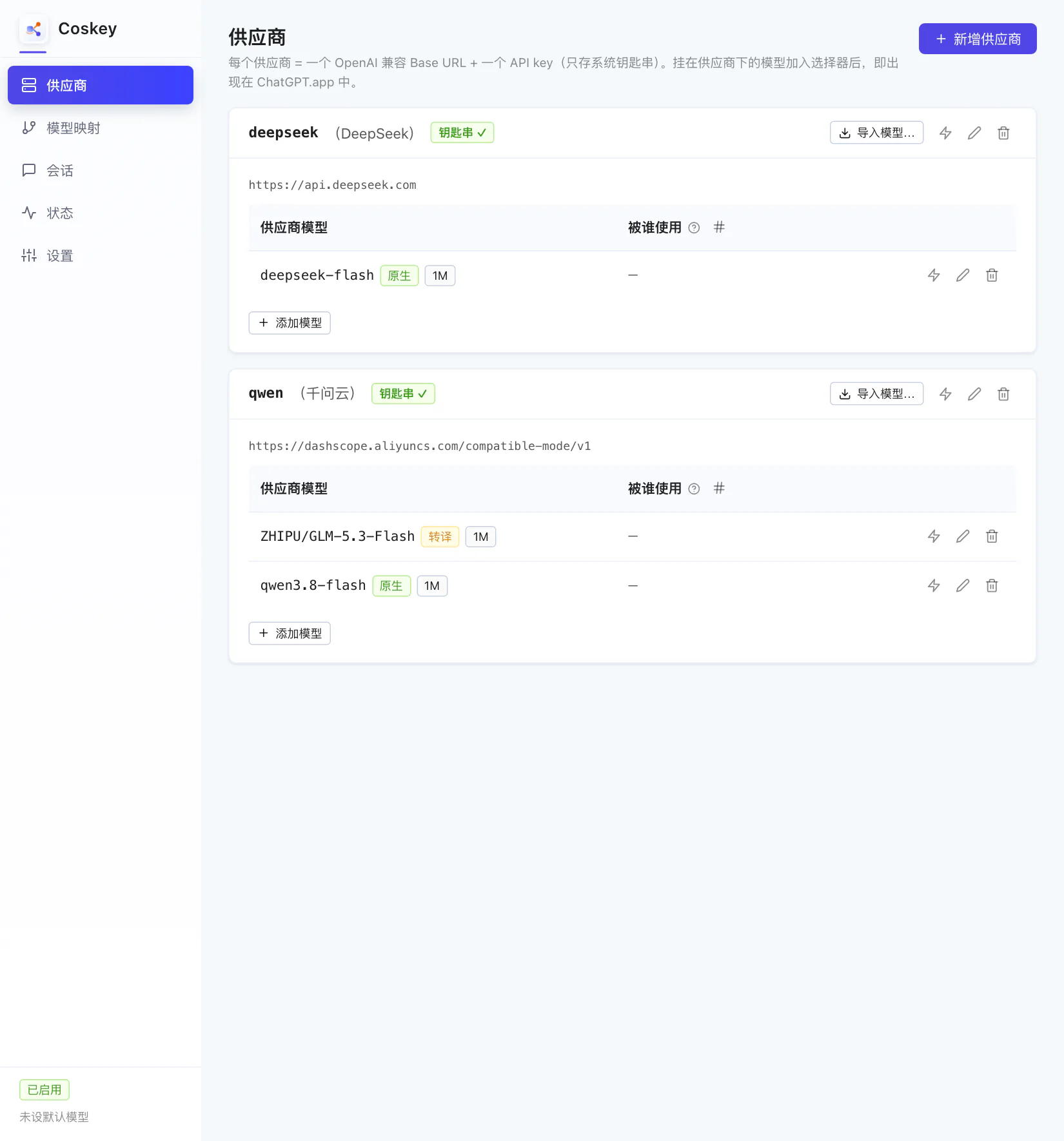
Connect a provider and its models
One Base URL from an OpenAI-compatible endpoint plus one API key, stored in four steps. The key only ever goes to the system keychain.
- 1
Add a provider
Fill in four fields: provider id, display name (optional), Base URL and API key. Saving writes the key straight to the system keychain — no config file, no logs.
- 2
The card is ready
The provider card appears immediately with a keychain check mark. You can also time the Base URL to see whether it responds and how fast.
- 3
Import models from upstream
Click “Import models…”: Coskey pulls the upstream /models list with that provider's key. Search and multi-select as you like — searching only filters the view, it never drops your selection.
- 4
Protocol detected automatically
Each model is probed for /responses: native endpoints pass through untouched, chat/completions-only endpoints go through the local translation layer. The models are now in the catalogue — but not yet in the picker.
Map them, size the window, pick them in the app
One row on the “Model mapping” page equals one entry in the ChatGPT.app picker: which upstream model it targets and how large its window is.
- 1
Create a mapping
Pick the target upstream model. The core name and group id decide what the entry is called in the picker; models without a mapping never show up in the app.
- 2
Add a window template
The kernel matches windows by name. “+ Window template” creates an entry named after the id prefix, where you set both the default window and its upper bound.
- 3
Drag the window to size
Effective window = min(injected value, cap) × 95%, computed for you in the form. The id and display name gain the window suffix automatically, so the same model can appear at several sizes.
- 4
Restart the app and pick it
Quit and reopen ChatGPT.app: your entries appear in the model picker next to the official models. Switching mid-session works too, and what you pick is what runs.
After that, switching is just picking a model in the app. See the full steps in the docs.
Nothing left out
Switching, done thoroughly
Beyond the two paths, these details decide whether it holds up over time.
Global default plus session pinning
Sessions you never switched follow the default model; picking another one in the picker pins only that session, leaving the others alone.
Adopt existing sessions
Sessions created before you installed Coskey are visible too, and can be adopted or handed back; uninstalling restores their original provider.
Upstream protocol adaptation
Native Responses endpoints pass through; chat/completions-only endpoints are translated locally, streaming and tool calls included.
Several providers at once
Each provider keeps its own Base URL and key, and mappings point wherever you like — switching across providers does not disturb the session.
No configuration surgery
The app is never modified and ~/.codex is never written to; one click disables Coskey and returns stock behaviour.
End-to-end health check
The app, kernel, wrapper, keychain and relay port are checked item by item, and each result comes with a verdict.
Docs
Instructions in the order you need them
Every step comes with a screenshot — install it and follow along.
Download
Download Coskey
Open the app after installing and the guide walks you through the rest.
Install, configuration and troubleshooting live inInstall and first run·FAQ